
With special guests.
Listen to music, look at photography, bicycling, or read ramblings below.
With special guests.
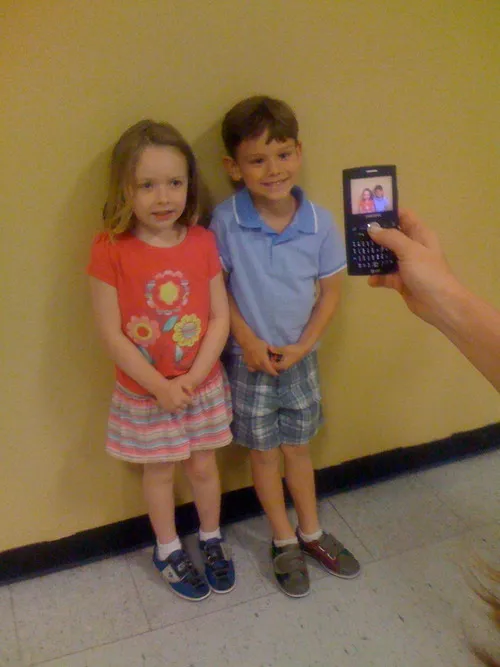
At Savannah’s sixth birthday party. Soooo cute!
I made a nice improvement that I feel warrants a 1.0 release. That improvement is simply a hash that stores genres for the life of the process so that an additional query to last.fm is not needed. I fixed a bug where “q” wasn’t cleanly aborting the process. Also, I did a little spring cleaning with the code… moved everything out of a main file and into separate files for better organization.
I’m happy to say that build.last.fm accepted my application! So you can now find the tagger on build.last.fm.
If anyone out there would like a feature added, just let me know and I’ll see about implementing it.
I’ve made a few improvements to the Last.fm Tagger. Namely, the ability to cleanly abort the tagging process. Other features include displaying a count of tracks selected in iTunes, as well as the number of unique artists in that selection.
As always, you’ll need the wonderfully awesome RubyOSA gem installed.
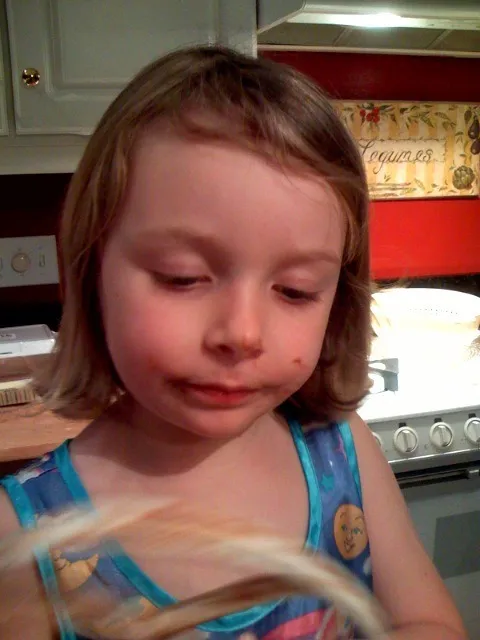
Savannah cleaning up the cookie mess with her tongue
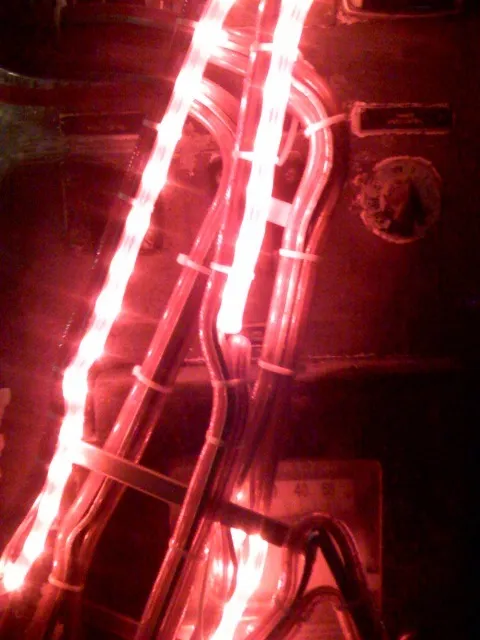
a sax light on this huge machine thing
Oh how excited I am, for Picard works (without building from source) on my Mac now. Oh, this is the greatest day in a long freakin’ time. It was the one last app missing from my usual Windows routine.
Get it now! and start tagging.
Maybe this fella should think about paying the wonderfully awesome MusicBrainz team now :)
I’ve once again improved my little Last.fm script for use with RubyOSA. It needed updating badly. There were quite a few things bugging me.
What’s new:
• Nice console messages telling you what’s happening.
• Support for skipping over identical genre’s.
• Ability to continue or abort tagging process. So if you don’t like that tag, type ‘n’.
• Use -q to subdue tagging confirmations.
• Full UTF-8 support, as well as proper URL escaping.
Download it now! And have somewhat useful genre’s to choose from.
I will tackle cleaning it up later. Add me to your RSS reader if you want script updates.
Remember, you can get RubyOSA with the Last.fm Tagger here.

I finished a v0.1 of my eMusic.fm Greasemonkey script. What it does is pretty simple. On an album page, it will pull the 10 most popular tags from last.fm and inject them into the page below the description.
I found myself looking at last.fm for a particular artist to see what the community has labeled it as. This provides a more insightful look into artists you may not be aware of.

I am so angry. I ordered an adapter made by Belkin for my iPhone so I could use my favorite headphones. It’s absurd that you have to spend $10 to do this (or spend $100 on new headphones that I don’t like) and it looks like complete crap. It doesn’t fit in my pocket very nicely either. This does not make Apple look good.
This is all thanks to the recessed headphone jack.
UPDATE: I sent this piece of crap back.
I needed to attach articles to our default template when running migrations. This was currently executed like so:
type = Type.find(1)
Template.find(:all).each { |t| t.types << type }
Pretty simple. Find the first type, which is supposed to be Pages. Iterate through all templates and assign Pages to them.
I needed to do the same for Articles too, so to get it done quickly, I just repeated what I did previously. So the code looks like this now:
type = Type.find(1)
Template.find(:all).each { |t| t.types << type }

type = Type.find(3)
Template.find(:all).each { |t| t.types << type }
Now I’m finding Pages + Articles, then iterating twice over the Templates and inserting on two separate occasions. To foreign users, I thought it may be a little vague, so I decided to add comments:
# Set default template for pages
type = Type.find(1)
Template.find(:all).each { |t| t.types << type }

# Set default template for articles
type = Type.find(3)
Template.find(:all).each { |t| t.types << type }
Now! Whomever reads my code will know what I was thinking and could probably help clean it up a bit. But wait a sec, Rails adds some pretty nice syntactic sugar to make comments completely unnecessary. Take a look at the same code without comments:
type = Type.find_by_name('Page')
Template.find(:all).each { |t| t.types << type }

type = Type.find_by_name('Article')
Template.find(:all).each { |t| t.types << type }
I think the code is self-explanatory without comments now. But is there a way that I can reduce that still to one line? Sure. The type variables are not needed anyways. So let’s get closer to one line:
Template.find(:all).each { |t| t.types << Type.find_by_name('Page') }
Template.find(:all).each { |t| t.types << Type.find_by_name('Article') }
This looks swell. I removed the variables and just put the finder methods add what’s being inserted into the Template association.
This can be refactored one more time. I can append multiple calls to an array insertion, therefore reducing my code to one line.
Template.find(:all).each { |t| t.types << Type.find_by_name('Page') << Type.find_by_name('Article') }Now it’s lean.
I make it a point to do things like this as many times as possible in one day. Something that Dave Thomas at RailsConf stuck with me. It’s not an accurate quote, but it goes something like this:
Always check in code that is better than before. Even if it’s a small improvement.
navigate to: ~/Library/Preferences/
open file: com.skype.skype.plist
add new sibling to root named “SKShowITunesSongAsMoodMessage”
set class to Number
set value to 1
restart skype
During RailsConf, I was lucky enough to have my camera ready to take pics and movies during the super secret surprise lunchtime band.
I spent the majority of my later teenage years overdosing on computers and music… making music, that is. A few times a year, I find myself listening to the so-called music I made. It really reflected who I was: a kid obsessed with meta-consciousness, psychedelics, alternate realities, and generally anything weird.
So I present to you one track I made while traveling:
Laurent Sansonetti was generous enough to ask me if I wanted to contribute my little Last.fm script to the RubyOSA samples directory. And of course, I was more than willing to do that. He actually updated the script to make it even better! Now, you simply select which track in iTunes you want to tag, and run the RubyOSA script. The script will then query Last.fm for the most popular tag, and set the genre to whatever the tag on Last.fm is.
Here’s the updated code:
Remember, you can get RubyOSA with the Last.fm Tagger here.
Thanks to Laurent for making an awesome library. It makes playing with Ruby even more fun!
I am trying out Blogger. While I’ve never tried it ever before, in the long existence that it has, I’m pretty impressed at the simplicity of it. I like the way it handles publishing. No need to get a host with Rails, PHP, MySQL, etc just to have a blog. Get you some cheap hosting and go get a Blogger account.
I do have some wishes though: Some kind of data import. I have a year or so worth of posts that I want on here with the corresponding dates.Syntax highlighting… a little superfluous, I know but I sometimes post Ruby stuff on here and would like to see it highlighted. Maybe I’ll just post screenshots.So I’m not completely sold yet, but I do like it so far. My old (slow) blog can be reached at: blog.633k.net.
After a little prying, I was able to finally figure out that a network share can in fact be mapped upon login. It’s easy, and I’m an artard for not knowing this before.
That’s it. Heh. Make sure you store your login information if you don’t want to be pestered by the login prompt everytime.